Introducing HoneyDB AI
A Chat Interface Powered by MCP

Threat intelligence shouldn't always require memorizing API endpoints, query syntax, or writing scripts to get answers. Today we're introducing HoneyDB AI — a command-line chat interface that lets you ask natural language questions about threat data and get answers in seconds, powered by your choice of AI model.
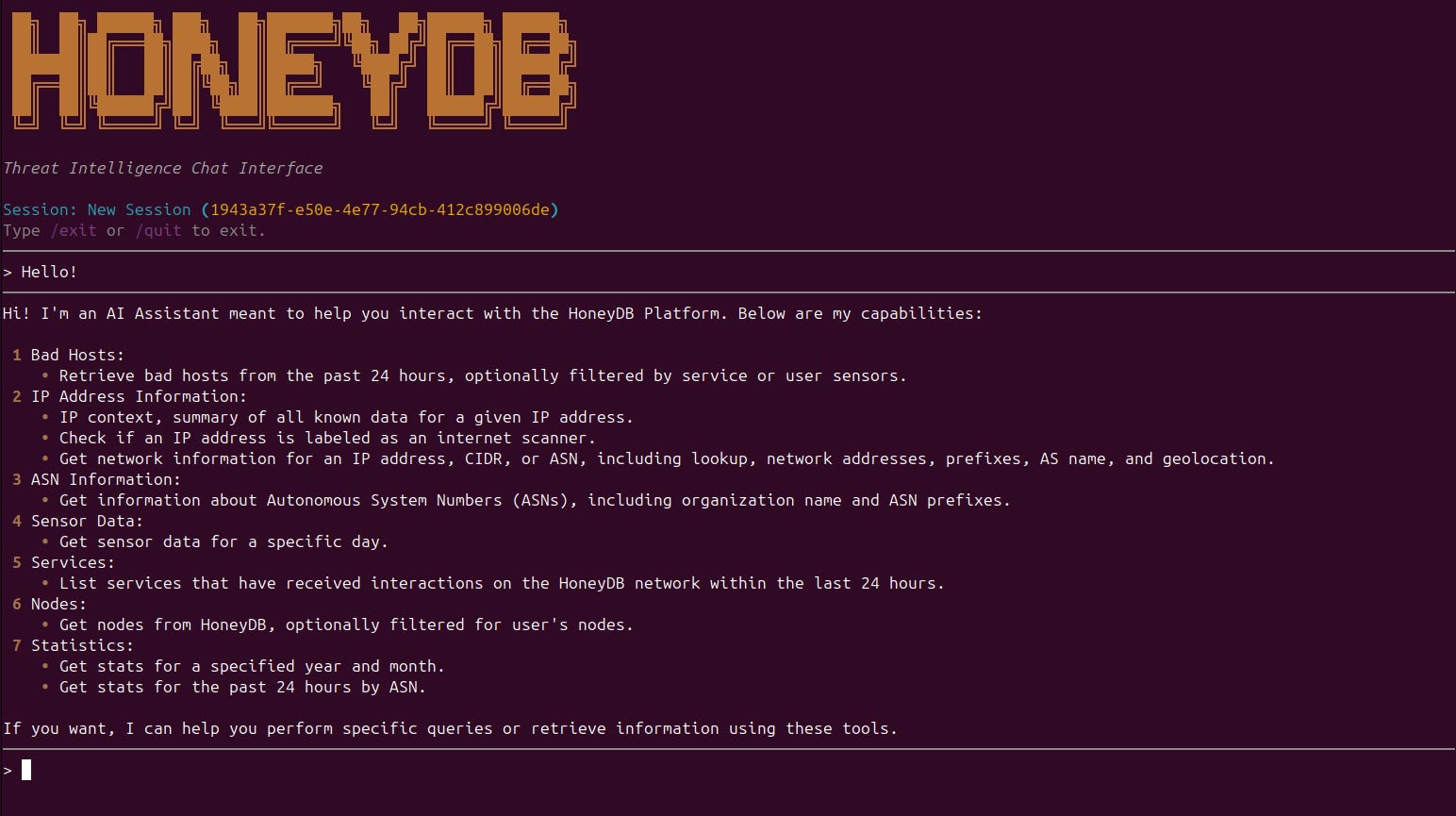
Ask Questions, Get Intelligence
Instead of looking up documentation and constructing API calls, you open a terminal and ask:
“What bad hosts have been targeting SSH this week?”
“Show me sensor activity for 2026-03-01.”
“What are the top ASNs in today’s honeypot data?”
HoneyDB AI figures out which tools to call, fetches the data, and gives you a coherent answer — all in one conversational turn.
Built on MCP
The real story here isn’t just the chat interface — it’s what’s powering it.
HoneyDB AI connects to the HoneyDB MCP server using the Model Context Protocol, an open standard that lets AI models call external tools and data sources. The MCP server exposes HoneyDB threat intelligence tools — IP history, bad host list, sensor data, monitors, and more — as structured endpoints that any MCP-compatible AI client can call autonomously.
This means the AI doesn’t just generate text. It actively calls HoneyDB tools mid-conversation, incorporates real data into its response, and can chain multiple tool calls together to answer complex questions. The intelligence comes from HoneyDB; the reasoning comes from the AI.
HoneyDB AI is a working example of what’s possible when you expose threat intelligence through MCP: any sufficiently capable AI model, from any provider, can become a threat analyst.
Documentation for the HoneyDB MCP server can be found at honeydb.ai.
Your Model, Your Choice
HoneyDB AI supports OpenAI, Anthropic, and Google Gemini. Configure your preferred provider and API key once, and the same chat interface works across all three. Switch models at any time with /model change without leaving the session.
A Note on Beta Status
Both the HoneyDB MCP CLI and the HoneyDB MCP server are in early beta. You should expect rough edges, and we’d love your feedback as we continue to improve them. As with any AI-driven tool, responses are composed by a language model and may occasionally contain inaccuracies.
Get Started
pip install honeydb-ai
honeydb-ai config setup
honeydb-ai chat
You’ll need a HoneyDB API account and an API key from at least one LLM provider. The setup wizard walks you through configuring both.
More details on installation and usage instructions can be found here.
For questions or feedback, use the - HoneyDB Feedback Form